Why Organizations Are Replacing Mobius and How to Do It Without Losing Your Archives
Blog

Why Organizations Are Replacing Mobius and How to Do It Without Losing Your Archives

Summary

Systemware replaces Mobius by resolving slow retrieval and high operational costs through federated search and cloud flexibility, while keeping archives intact and searchable until the migration is confirmed safe.

Brief

Organizations running Mobius face slow data retrieval, rising operational costs, and the compounding difficulty of managing legacy upgrades, and those pressures are pushing them toward purpose-built replacements. Systemware addresses each of those problems through real-time federated search and cloud-flexible architecture. During the migration itself, Systemware runs discovery and retrieval against the existing source platforms before the archive is touched, so the data stays searchable and undisturbed throughout the transition. The result is a migration path where the archive moves only after retrieval has been verified, removing the risk that has historically made leaving a legacy content management platform feel too dangerous to attempt.

The Case for Leaving Mobius Behind

Organizations running Mobius are finding that the platform’s limitations are getting harder to absorb. Retrieval times slow down as data volumes grow, operational costs climb, and every legacy upgrade introduces new complexity on top of old complexity.

Those pressures don’t stay separate for long. They compound, and at some point the cost of staying starts to outweigh the discomfort of leaving. The good news is that a migration path exists that doesn’t require organizations to gamble their archives to get out.

Two things sit at the center of this decision: what Mobius is actually costing organizations right now, and what a purpose-built replacement like Systemware does differently. Both are worth understanding before any migration planning starts.

What Mobius Costs Organizations Over Time

Mobius was built for an earlier era of content management, and that origin shows in how it handles modern workloads. Retrieval requests that touch large volumes of stored data can take long enough to interrupt business processes that depend on fast access. For organizations in finance, insurance, or healthcare, where staff need records quickly, those delays have real operational consequences.

The cost side compounds the problem. Maintaining Mobius requires specialized infrastructure and, often, specialized staff who understand its architecture well enough to keep it running. When the platform needs upgrading, organizations face a choice between expensive professional engagements and the risk of something breaking in a system that holds years of critical records. Neither option is comfortable, and neither gets cheaper over time.

How Systemware Handles Discovery, Retrieval, and the Archive

Systemware approaches the problem from a different angle. Rather than requiring organizations to move their archives before they can test whether the new system works, Systemware runs discovery and retrieval against live source platforms first. That means the existing Mobius archive stays untouched and fully searchable while the new system proves itself.

The federated search capability is central to how this works. Systemware queries across multiple source systems in real time, so users can find and retrieve records without waiting for a full migration to complete. The cloud-flexible architecture means organizations aren’t locked into a specific infrastructure model, and they can scale storage and compute to match what they actually need. The archive moves only after retrieval has been verified against the source systems still running, which removes the condition that has historically made platform migrations feel too risky to attempt.

Together, these two realities define why organizations are moving and how they’re doing it without exposing themselves to the data loss or disruption they’ve long feared.

A Migration Path Where the Risk Is Resolved Before the Move

The standard fear around leaving a legacy content management platform is that something will break before the new system is ready to carry the load. Systemware’s migration path is designed around that specific fear. Retrieval is confirmed against the archive in its original location before anything is moved, so there’s no window where records are inaccessible or unverifiable.

For organizations that have postponed this decision because the risk felt too high, that sequence changes the calculation. The archive doesn’t move until the move is already known to be safe.

FAQS

Why are organizations replacing Mobius?

Retrieval slows down as stored volumes grow, and operational costs climb alongside it. Every legacy upgrade adds complexity on top of complexity, and those pressures compound until staying costs more than leaving.

Will our archive be unavailable during the migration?

No. Systemware runs discovery and retrieval against the platforms already in place, so the existing Mobius archive stays untouched and fully searchable while the new system proves itself.

What is federated search and why does it matter in a Mobius migration?

Federated search queries across multiple source systems in real time rather than in a single consolidated store. It lets users find and retrieve records before a full migration has completed, which is what removes the pressure to move everything first.

When does the archive actually move?

Only after retrieval has been verified against the source systems still running. That sequence means the move happens once it is already known to be safe.

Does replacing Mobius lock us into a particular infrastructure model?

No. Systemware is cloud-flexible, and on-premise remains an option, so the deployment model stays a choice. The architecture lets organizations scale storage and compute to match actual demand.

Resources

  • Mobius Replacement ECM – Systemware’s Mobius replacement page, covering federated search, retrieval against live sources and what a purpose-built replacement handles. 
  • ECM Migration – Systemware’s migration service page, covering the automated tooling and the repeatable process behind a legacy platform exit. 

Related Posts


Learn More About How Your Content Can Work For You

  • Articles

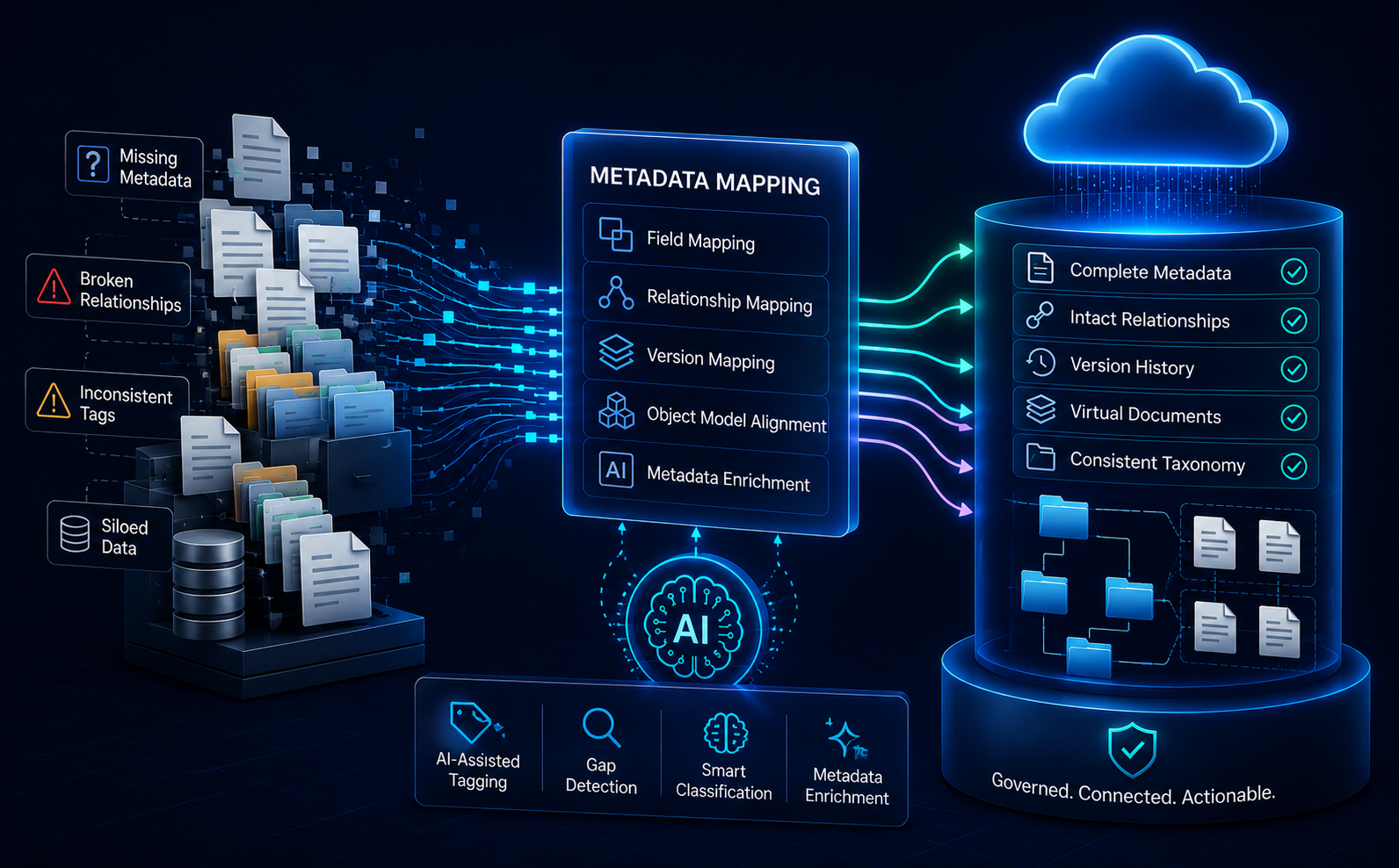
    When Metadata Breaks: Advanced Mapping for Complex ECM Object Models

    For many organizations, ECM migration is viewed as a content transfer exercise. Documents move from one repository to another, users validate access, and the projec…

    Read More

  • Articles

    Using AI for Data Clean-up: The Content Prep Revolution

    Many organizations view migration as a simple process of moving content from one system to another. The reality is far more complicated. After years or even deca…

    Read More

  • Articles

    The 60-20-20 Rule: Prioritizing Planning for a Successful ECM Outcome

    When organizations plan an ECM migration, most of the attention is placed on execution. Teams focus on moving content, configuring systems, and meeting project dead…


    Read More

How can we help you overcome a business challenge today?

Rocket Mobius Migration: Complete Migration Playbook
Blog

Rocket Mobius Migration: Complete Migration Playbook

Summary

Rocket Mobius Application Owners are watching licensing costs, support overhead, and platform risk climb every year the system stays in production. The engineers who understand Mobius ViewDirect and Infopac are retiring faster than replacements can be trained. A migration only reduces that risk if it preserves the output streams and metadata schemas Mobius has accumulated for years. Systemware’s Mobius migration playbook reconciles that schema by hand, using purpose-built converters for known Mobius content types.

Brief

A CIO weighing another year on Rocket Mobius against a migration project is really weighing a known, worsening cost against an unfamiliar one. Mobius licensing and managed services fees tend to climb as Rocket narrows its investment in the platform, while the pool of engineers who can troubleshoot Mobius output streams and Monarch templates keeps shrinking. A complete Mobius migration playbook has to account for that platform’s specific artifacts, from print streams to DocuAnalyzer indexes, beyond simply moving files to a new location. Systemware’s migration specialists reconcile Mobius metadata schemas by hand and classify unmapped output streams using purpose-built converters built for exactly this platform.

The Real Cost of Staying on Rocket Mobius

A Rocket Mobius Application Owner tracking the platform’s total cost of ownership sees three numbers moving in the same direction every renewal cycle: licensing fees, managed services costs, and the hourly rate for the few remaining engineers who can troubleshoot a broken output stream. None of those costs are new, but each one compounds the longer the organization stays on Mobius, since Rocket’s own investment in the platform has narrowed over time. A support ticket that once took a day to resolve can now take a week if the engineer who understands that specific Monarch template configuration has already retired. This is the migration economics argument in its plainest form, since the cost of staying keeps climbing while a migration locks in a price that holds steady.

The CIO evaluating a Mobius exit has to weigh that rising cost against the cost of a migration that fails to preserve Mobius’s actual structure. Mobius accumulates years of output streams, print streams, and DocuAnalyzer indexes that a generic migration tool was never built to read. A migration that moves the underlying documents but loses track of which output stream a report belongs to recreates the exact retrieval problems the new platform was supposed to fix. That risk is why a Mobius migration needs a playbook built specifically around the platform’s own structure.

Compliance exposure compounds the operational risk for regulated Mobius users, since reports and statements generated through Mobius ViewDirect often carry retention obligations tied to the specific output stream that produced them. A community bank or insurer running Mobius past its practical support window is carrying platform risk and compliance risk at the same time, without a clear timeline for resolving either one. Staffing risk adds a third pressure, since every year without a migration plan is another year the organization depends on a shrinking group of people who understand the platform deeply.

None of these pressures disappear on their own, and none of them are solved by simply deciding to migrate without a plan built around Mobius specifically. A complete Mobius migration playbook starts by treating the platform’s own structure as the basis for the assessment. That starting point is what the rest of this playbook maps out, from the initial inventory through specialist-led reconciliation and a validated cutover.

What a Complete Rocket Mobius Migration Playbook Actually Maps

A complete Mobius migration playbook begins with a full inventory of the platform’s actual artifacts, cataloging output streams, print streams, Infopac indexes, and Monarch template configurations before any technical migration work starts. This inventory captures which reports and statements each output stream produces, which retention rules apply, and which downstream systems or users depend on that specific stream. The assessment maps every one of these artifacts to its equivalent structure on the target platform, so the reports an organization has relied on for years continue to resolve correctly after migration.

This upfront mapping matters because Mobius output streams rarely carry clean, self-describing metadata the way a modern platform expects. A print stream generated by a batch job configured a decade ago may only make sense to someone who understands both the original business process and Mobius’s own indexing conventions. Systemware’s assessment captures that context directly from the Mobius environment itself, before cutover, when the original configuration knowledge is still easiest to recover.

Systemware’s purpose-built converters for known source-system content types are where this inventory becomes executable. Each Mobius output stream type maps to a specific converter built for that exact structure, so known patterns migrate through a tested, repeatable path instead of a one-off script written for a single engagement. The Mobius migration playbook itself sequences this conversion work alongside discovery and cutover, so the full engagement follows a documented, repeatable methodology from discovery through cutover.

Even with purpose-built converters in place, every Mobius environment includes output streams and print jobs that resist a clean, automated mapping, usually the oldest or least-documented configurations in the estate. That unmapped tail is exactly where Systemware’s migration specialists take over from the automated conversion path. Reconciling it by hand is what keeps the migration’s fidelity intact even for content the converters alone cannot resolve.

How Systemware’s Specialists Reconcile Rocket Mobius Metadata Schemas by Hand

Systemware’s migration specialists reconcile Mobius metadata schemas by hand at the assessment phase, identifying every output stream and print stream where the source platform’s structure does not map cleanly to an equivalent on the target platform. This reconciliation work draws on direct experience with Mobius ViewDirect, Infopac, and DocuAnalyzer, since resolving an ambiguous output stream requires understanding what the original business process was actually producing. Specialists document each resolution individually, along with the retention rule and downstream dependency it needs to preserve.

The unmapped tail in a Mobius migration typically concentrates in older batch print jobs and Monarch templates built for a report format that has since changed or been retired from active use. A print stream tied to a discontinued statement format may still hold records under active retention, requiring a specialist to classify it correctly even though nobody currently runs that report. Classifying this content by hand is what keeps a completed migration from quietly losing track of records nobody remembered still mattered.

Every classification a specialist makes gets validated against the compliance map built during assessment, with a documented rationale behind each decision. A Mobius Application Owner reviewing this documentation can see exactly how a specific output stream or print job resolved on the new platform. That traceability is what separates a Mobius migration built on repeatable methodology from one relying on undocumented guesswork about a legacy configuration.

This specialist-led reconciliation is the core of what makes Systemware’s Mobius migration competence repeatable across engagements. Every engagement adds to the specialists’ direct experience with Mobius’s specific quirks, and that experience carries forward into how the next Mobius migration gets scoped and executed. Systemware has completed enough Mobius engagements to have documented, repeatable patterns for the platform’s most common output stream types.

From Output Streams to a Modern Platform, Without Disruption

Systemware migrated a leading fleet management provider off Rocket Mobius in less than two days with zero operational disruption, using the same assessment-first methodology and purpose-built converters described throughout this playbook. A Fortune 100 bank’s Mobius migration, detailed in Systemware’s Mobius migration case study, followed the same pattern at a larger scale, with output stream reconciliation and phased cutover sequenced against the bank’s own compliance calendar. Neither case claims Systemware is the only vendor capable of a Mobius migration, but both demonstrate a documented, repeatable approach to a platform most vendors treat as a generic legacy system.

Systemware’s parallel migration architecture keeps Mobius live and fully operational throughout the transition, so reports and statements continue generating normally while content moves to the new platform. Reads route to whichever system currently holds the authoritative copy of a given report, and writes route to the target platform as output streams come online there. This architecture is what makes a two-day migration timeline possible for a focused scope, since validation happens continuously against the live Mobius environment.

For the CIO, this combination of purpose-built converters, specialist-led reconciliation, and parallel migration architecture turns a Mobius exit into a predictable project instead of an open-ended risk. Fixed-price economics hold because the assessment phase priced the engagement directly against Mobius’s actual output stream inventory. The organization gets a timeline it can commit to and a target platform that preserves the reporting fidelity the business has depended on for years.

A Rocket Mobius Exit on a Predictable Timeline

Rocket Mobius accumulates years of output streams, print jobs, and report configurations precisely because it has been a reliable production system for a long time, and that same accumulation is what makes a generic migration risky. The organizations that get a Mobius migration right treat the platform’s actual structure as the starting point for the assessment. A Mobius Application Owner who can see every output stream mapped, classified, and priced before cutover is looking at a migration with its real risk already identified.

Systemware’s complete Rocket Mobius migration playbook gives Application Owners and CIOs a documented path off the platform, backed by purpose-built converters, specialist-led reconciliation of the unmapped tail, and a parallel migration architecture that has delivered two-day timelines for focused engagements. The reporting program arrives on the new platform with its output streams and retention rules intact. The organization arrives on a modern platform without the staffing risk and rising costs that made the migration necessary in the first place.

FAQs

How long does a Rocket Mobius migration to Systemware’s platform typically take? 

Timeline depends on content volume and complexity, but Systemware’s parallel migration architecture means the source system stays live throughout. Systemware has completed Mobius migrations in under two days for focused scope engagements.

What happens to Rocket Mobius output streams and print streams during migration? 

Systemware’s assessment catalogs every output stream and print stream before migration begins, mapping each one to its retention rule and equivalent structure on the target platform. Streams that resist automated mapping are reconciled by hand, with a documented rationale behind each decision.

How does Systemware avoid losing Rocket Mobius metadata during migration? 

Systemware’s migration specialists reconcile Mobius metadata schemas by hand at the assessment phase, using purpose-built converters for known output stream types. Unmapped or ambiguous streams are classified individually so no report loses its retention classification.

What does Systemware’s Rocket Mobius migration playbook include? 

It includes a full inventory of Mobius output streams, print streams, and Monarch templates, purpose-built converters for known content types, and specialist-led reconciliation of anything that does not map automatically. The playbook is one of Systemware’s core Migration service components.

How much does staying on Rocket Mobius cost compared to migrating? 

Staying on Mobius carries rising licensing, support, and staffing costs as Rocket’s investment in the platform narrows and Mobius expertise becomes harder to find. Systemware’s assessment phase prices a migration against Mobius’s actual output stream inventory, giving CIOs a fixed-price comparison instead of an open-ended cost projection.

Resources

Related Posts


Learn More About How Your Content Can Work For You

  • Articles

    When Metadata Breaks: Advanced Mapping for Complex ECM Object Models

    For many organizations, ECM migration is viewed as a content transfer exercise. Documents move from one repository to another, users validate access, and the projec…

    Read More

  • Articles

    Using AI for Data Clean-up: The Content Prep Revolution

    Many organizations view migration as a simple process of moving content from one system to another. The reality is far more complicated. After years or even deca…

    Read More

  • Articles

    The 60-20-20 Rule: Prioritizing Planning for a Successful ECM Outcome

    When organizations plan an ECM migration, most of the attention is placed on execution. Teams focus on moving content, configuring systems, and meeting project dead…

    Read More

How can we help you overcome a business challenge today?

FileNet to the Future: Planning a Migration to Cloud Content Services
Blog

FileNet to the Future: Planning a Migration to Cloud Content Services

Summary

FileNet Application Owners managing an aging environment face a growing burden of licensing costs, retiring expertise, and custom applications built directly against FileNet’s APIs. Every year on the platform deepens the vendor lock-in a migration is supposed to end. A cloud content services migration only reduces that risk if it maps FileNet’s custom object classes and app dependencies before any content moves. Systemware plans FileNet migrations around that mapping from the first assessment phase.

Brief

A CIO evaluating life after FileNet usually inherits a platform shaped by a decade of custom object classes, case folders, and eForms built for a specific business process. None of that structure transfers automatically to a new platform, and a migration that only moves documents leaves the custom logic behind for someone else to rebuild later. Planning a migration to cloud content services means treating those custom dependencies as part of the content inventory from day one. Systemware’s migration assessment catalogs FileNet’s object model and application dependencies up front, so the phased plan accounts for the full scope of what actually needs to move.

Why FileNet Application Owners Are Planning a Migration to Cloud Content Services

FileNet Application Owners who have run their environment for a decade or more know its object model intimately, including the custom object classes, case folders, and eForms built for specific business processes. That familiarity comes with a cost, since every custom application built against FileNet’s Content Engine and Process Engine APIs becomes a dependency the organization must account for in any platform decision. Licensing and support costs on an aging FileNet environment tend to climb as IBM’s ECM investment shifts elsewhere, while the pool of engineers who understand FileNet’s API layer shrinks each year. Staying put does not eliminate the risk, it only delays when the organization has to plan around it.

The CIO evaluating this environment faces a version of vendor lock-in built from years of accumulated custom code instead of a single contract term. Every custom object class and case workflow built on FileNet represents logic a lift-and-shift migration will not automatically carry to a new platform. A migration that moves documents but leaves that logic behind creates a second project down the line, starting from a records program already split across two systems. That fragmentation is the outcome a well-planned migration to cloud content services is meant to prevent.

For the FileNet Application Owner, the practical risk shows up first in records management mapping. FileNet’s retention and disposition rules often live inside custom object properties that a generic tool cannot read as a standard metadata field. A record correctly governed under a custom FileNet class can lose that governance if the migration cannot resolve the class to an equivalent structure on the target platform. Custom eForms tied to a specific case type present the same risk, since the workflow logic behind the form rarely has a direct equivalent elsewhere.

The assessment phase is what determines whether the rest of a FileNet migration succeeds. An assessment that catalogs every custom object class, case type, and eForm before planning cutover gives the organization a real picture of what actually needs to move and how. That inventory becomes the foundation for a migration built specifically around FileNet’s actual structure.

Mapping FileNet’s Custom Object Model Before a Single Document Moves

Systemware’s migration assessment and phased plan begins with a full inventory of the FileNet environment, cataloging custom object classes, case folders, eForms, and the business processes each one supports. This inventory happens before any technical migration planning starts, since the phased plan can only be accurate once the actual scope of custom dependencies is known. Every object class gets mapped to its applicable retention rule and its intended equivalent structure on the target platform, so records management requirements travel with the content.

This sequencing changes what a FileNet Application Owner can expect from the project. A generic migration plan built around technical milestones treats custom object classes as an edge case, discovered and resolved on the fly as they come up. A plan built around the FileNet-specific assessment treats every custom class as a known, scoped, and priced part of the engagement from the start. The Application Owner reviewing the assessment can see exactly which custom structures the migration accounts for before the project commits to a cutover date.

Fixed-price economics depend on this same upfront visibility, since a phased plan can only hold a fixed price if the scope behind it is accurate. Procurement and PMO stakeholders evaluating a FileNet migration proposal want assurance that custom object classes and case workflows were priced into the engagement from the start, avoiding change orders discovered mid-project. Systemware’s assessment produces that pricing basis directly from the FileNet object model, so the phased plan reflects the platform’s actual complexity.

The assessment identifies what needs to move and how it should map, but FileNet environments routinely include content that resists a clean, automated mapping no matter how thorough the inventory. Custom object classes built for a since-discontinued business process, or eForms tied to workflow logic nobody fully documented, fall into this category regularly. Systemware’s migration specialists take on that reconciliation work directly, the next phase of the methodology.

How Systemware’s Migration Specialists Classify FileNet’s Unmapped Content by Hand

Systemware’s migration specialists profile FileNet’s Content Engine metadata structure at the assessment phase, identifying every custom object class and property where a clean, automated mapping to the target platform is not available. This profiling happens by hand, since a FileNet environment built up over a decade of custom development rarely follows a schema a generic mapping tool can resolve without guidance. Specialists document each custom class individually, along with the retention rule and access structure that should govern it once migrated.

The unmapped tail in a FileNet migration typically concentrates in the platform’s oldest custom applications, the case types and eForms built for a process that has since changed or moved elsewhere. A collections case folder built for a workflow retired years ago may still hold records under active retention, requiring a specialist to classify the content correctly even though the original application logic no longer applies. This is exactly the work an automated tool cannot do alone, since it requires judgment about a business process, beyond what a metadata field can capture.

Every classification decision a specialist makes on the unmapped tail gets documented against the compliance map built during assessment, with a clear rationale behind each call. A FileNet Application Owner reviewing this documentation can see exactly how a given custom object class or case type resolved on the new platform and why. That traceability is what separates a migration built on defined methodology from one relying on whatever a script happened to guess about a legacy object class.

This specialist-led approach reflects Systemware’s broader positioning on FileNet and every other legacy platform it migrates. The manual work of understanding and reconciling custom structures is where a migration succeeds or fails, and it takes a person with direct FileNet experience to do it well. That experience carries into how the migration executes, keeping custom logic intact instead of quietly discarding whatever a generic tool could not parse.

Ending Vendor Lock-In Without Repeating It on a New Platform

A FileNet Application Owner choosing a new platform is making a decision that will govern the organization’s content management posture for the next decade, which makes vendor lock-in part of what the migration should evaluate. Moving off FileNet only to land on another platform with a similarly closed object model and a narrow set of integrations solves today’s problem while recreating tomorrow’s. Systemware’s platform is built around open APIs and standard content services patterns specifically so migrating onto it does not start the same lock-in cycle again.

Systemware’s parallel migration architecture keeps FileNet live and fully operational throughout the transition, so custom applications and case workflows keep functioning normally while content moves to the new environment. Reads route to whichever platform currently holds the authoritative copy of a record, and writes route to the target platform as content comes online there. This architecture makes cutover itself a low-risk event, with validation happening continuously against a live FileNet system with no need to compress everything into one migration weekend.

For the CIO, this combination of open target architecture and parallel migration changes what a successful FileNet exit actually looks like. The organization retires its dependency on FileNet’s specific API layer without simply relocating that same dependency to a new vendor’s equivalent lock-in. Fixed-price economics, established during the assessment phase, hold through execution because the scope was defined directly against FileNet’s actual object model instead of estimated from the outside.

By the time cutover completes, the organization has a records program that preserved FileNet’s custom governance logic, moved onto a platform designed to avoid repeating the same lock-in pattern, and validated every step against the live source system along the way. That combination is what a phased, methodology-led FileNet migration is built to deliver. The Application Owner who tracked the assessment from the start already knows which custom classes made the trip and how each one resolved.

A FileNet Exit Plan That Protects the Records Program

A FileNet environment accumulates years of custom logic precisely because the platform made that customization possible, and that same customization is what makes a generic migration risky. The organizations that get a FileNet migration right treat the custom object model as the starting point for the assessment, addressed fully before the project gets underway. A FileNet Application Owner who can see every custom class mapped, classified, and priced before cutover is looking at a migration with its real risk already identified.

Systemware’s methodology-led approach gives FileNet Application Owners and CIOs a migration built around the platform’s actual structure, backed by a fixed-price plan that already accounts for the custom classes, case types, and eForms a decade of use produced. The records program arrives on the new platform with its governance intact. The organization arrives on a platform built to avoid recreating the same dependency it just spent a migration escaping.

FAQs

What is the biggest risk in an ECM migration? 

The most common failure modes are incomplete content inventory at the start, metadata schema mismatches between source and target, and insufficient validation before cutover. Systemware’s methodology addresses all three with defined entry and exit criteria at each phase.

What does it mean to migrate FileNet to cloud content services? 

It means moving FileNet’s content, along with its custom object classes, case folders, and eForms, to a platform built on open APIs and standard content services patterns. Systemware’s assessment phase maps FileNet’s actual object model before any content moves, so custom logic is not left behind.

How does Systemware handle FileNet’s custom object classes during migration? 

Systemware’s migration specialists profile FileNet’s Content Engine metadata by hand at the assessment phase, mapping each custom object class to its retention rule and target-platform equivalent. Classes that resist automated mapping are classified individually, with a documented rationale behind each decision.

Does migrating off FileNet mean losing custom eForms and case management workflows? 

No, Systemware’s assessment catalogs every eForm and case workflow before migration begins and maps each one to an equivalent structure on the target platform. Where a direct equivalent does not exist, migration specialists classify and reconcile the workflow logic by hand.

How does a FileNet migration avoid repeating vendor lock-in on a new platform? 

Systemware’s platform is built on open APIs and standard content services patterns instead of a proprietary object model, so migrating onto it does not recreate the same dependency. Parallel migration also keeps FileNet live throughout the transition, so the organization validates the new platform before fully committing to it.

Resources

Systemware’s Migration Service – Details Systemware’s methodology-led approach to ECM migration, including the assessment and phased plan referenced throughout this piece. 

Related Posts


Learn More About How Your Content Can Work For You

  • Articles

    When Metadata Breaks: Advanced Mapping for Complex ECM Object Models

    For many organizations, ECM migration is viewed as a content transfer exercise. Documents move from one repository to another, users validate access, and the projec…

    Read More

  • Articles

    Using AI for Data Clean-up: The Content Prep Revolution

    Many organizations view migration as a simple process of moving content from one system to another. The reality is far more complicated. After years or even deca…

    Read More

  • Articles

    The 60-20-20 Rule: Prioritizing Planning for a Successful ECM Outcome

    When organizations plan an ECM migration, most of the attention is placed on execution. Teams focus on moving content, configuring systems, and meeting project dead…

    Read More

How can we help you overcome a business challenge today?

Enterprise Content Management Migration: The Compliance-First Playbook
Blog

Enterprise Content Management Migration: The Compliance-First Playbook

Summary

Enterprise content management migration exposes financial institutions to compliance risk well before cutover day. Retention schedules, chain-of-custody records, and access controls can all break silently when metadata mapping or content classification loses fidelity mid-migration. Protecting compliance posture requires a migration methodology that treats compliance verification as a requirement at every phase of the project. Systemware builds that verification into every phase of its migration methodology.

Brief

A Records Officer overseeing a bank’s document retention program cannot pause regulatory obligations while a migration project runs in the background. Every record still needs a retention schedule, an access control, and a defensible chain of custody the day after cutover as much as the day before. When a migration vendor treats compliance as something to check once content lands on the new platform, financial institutions inherit weeks or months of unverified records exposure. Systemware’s migration assessment maps retention rules, access controls, and metadata dependencies before a single record moves, keeping compliance posture verified continuously throughout the project.

Why Enterprise Content Management Migration Puts Compliance Posture at Risk

A Records Officer inheriting a completed enterprise content management migration expects every retention schedule, access control, and disposition rule to remain intact on the new platform. What often surfaces instead is a records program that technically preserved every document while losing track of which retention rule applies to which record. ECM migration project plans typically measure success by whether content moved and users can log in, leaving compliance posture for a separate, later review. That gap between technical completion and compliance verification is where financial institutions carry the most exposure.

The exposure compounds because retention schedules, legal holds, and access permissions rarely live in one clean field a migration tool can read and reapply automatically. A record classified under one retention category in a legacy platform can lose that classification entirely if the metadata schema the migration relies on cannot resolve the field to its equivalent on the new platform. Records under legal hold can become editable if permission structures do not translate cleanly during cutover. Each failure is invisible at the moment of migration and only surfaces during the next audit or litigation hold request.

For the CIO overseeing budget and timeline, this exposure translates directly into schedule risk, since a records gap discovered after cutover forces a costly reconciliation project layered on top of the original migration. Regulatory frameworks governing recordkeeping in financial services, including SOX and FINRA retention requirements, do not pause because a system migration is underway. An institution operating under those obligations needs its migration vendor to treat compliance verification with the same rigor applied to data validation.

That gap is solvable, and closing it starts with a different question at the front of the project. The assessment phase can ask which records carry retention obligations, which carry legal holds, and how each maps to the target platform’s structure before a single file transfers. Financial institutions that get this sequencing right treat compliance mapping as the migration’s first deliverable.

Building Compliance Verification Into the Migration Assessment

Systemware’s migration assessment and phased plan begins by cataloging the content estate against its actual compliance obligations, record type by record type. The assessment maps every content type to its applicable retention schedule, access control requirement, and legal hold status on the source platform today. That mapping becomes the reference the rest of the migration executes against, so compliance requirements are defined before the technical work begins.

This sequencing matters because a migration plan built around technical milestones alone treats compliance as a downstream concern, verified only once content lands on the new platform. A migration plan built around the assessment’s compliance mapping treats every subsequent phase, from metadata translation through cutover, as an opportunity to validate that mapping holds. Records Officers can see how each retention category and access rule will be preserved before the project commits to a cutover date.

Procurement and PMO stakeholders benefit from the same mapping in a different way, since it becomes the basis for fixed-price economics on the engagement. When compliance requirements are catalogued and quantified during assessment, the phased plan can price the full scope of the work upfront, including reconciliation a well-mapped content estate actually requires. That predictability replaces the open-ended change orders that appear when compliance gaps surface mid-migration unplanned.

The assessment phase produces a compliance map, but the map only holds value once someone applies it correctly to records that do not fit cleanly into a predefined category. That reconciliation work falls to the specialists executing the migration, working record by record through whatever the assessment could not fully classify in advance. Systemware’s migration specialists take on that work directly, applying the same judgment across every unmapped record.

How Systemware’s Migration Specialists Profile Metadata and Classify the Unmapped Tail

Systemware’s migration specialists profile the source platform’s metadata structure at the assessment phase, identifying every content type where the retention or access control field does not map cleanly to an equivalent field on the target platform. This profiling happens by hand, since a records program built over years on a CMOD or legacy ECM platform rarely follows a schema clean enough for a generic mapping table to resolve on its own. Specialists document each mismatch individually, along with the rule that should govern how it resolves on the new platform.

The content inventory gaps this profiling surfaces are usually concentrated in a specific slice of the content estate, the older or less-used record types that predate the institution’s current information governance program. A collections department’s scanned correspondence from a decade ago, for example, may carry no consistent metadata standard at all, requiring specialists to classify each document type manually before any retention rule can be assigned. This unmapped tail is exactly where a generic, automated mapping approach fails and direct specialist judgment becomes the reliable path to a compliant outcome.

Every classification decision a specialist makes on the unmapped tail gets documented and validated against the compliance map built during assessment, with a clear rationale behind each call. A Records Officer reviewing this documentation later, whether for an internal audit or a regulatory examination, can see exactly why a record received its retention classification on the new platform. That traceability separates manual reconciliation performed with a defined methodology from an unmanaged pile of one-off exceptions.

This specialist-led reconciliation is deliberate positioning against migration vendors that market automated classification as sufficient for records carrying real compliance stakes. Systemware’s methodology treats the unmapped tail as work requiring a person with migration and records experience, applying judgment record by record until every classification resolves. That judgment carries into the next phase of the methodology, where the migration executes without disrupting access to records already in scope.

Parallel Migration Keeps Compliance Controls Live Through Cutover

Systemware’s parallel migration architecture keeps the source platform live and fully operational while content moves to the new environment, so no record becomes inaccessible or unprotected during the transition. Reads continue routing to whichever platform currently holds the authoritative copy of a record, while writes route to the target platform as content comes online there. This architecture makes zero downtime a structural property of the migration, verified continuously through the transition instead of hoped for on cutover day.

For a Records Officer, this parallel structure matters most for legal holds and access controls that cannot tolerate even a short gap in enforcement. A record under an active legal hold stays discoverable and protected on whichever platform currently governs it, since the migration never creates a window where the record exists on neither system with full controls applied. Access permissions carry forward the same way, so a record restricted to a specific group does not become broadly visible during the migration window.

The CIO’s project timeline benefits from this same architecture in a more direct way, since parallel operation removes the pressure to compress validation work into a single high-risk cutover weekend. Content and its compliance metadata can be validated against the source system in stages, with discrepancies caught and corrected while both systems remain available for comparison. That staged validation is what makes a fixed-price, phased plan credible, with every phase carrying its own validation checkpoint.

By the time final cutover occurs, the compliance map built at assessment has already been tested against real content through every intermediate phase. Cutover becomes a formality that confirms what staged validation already established. The institution reaches its new platform with retention schedules, legal holds, and access controls already verified through the transition itself.

Compliance Posture as a Built-In Migration Deliverable

Enterprise content management migration in financial services will always carry some inherent risk, since moving a large records program between platforms is inherently complex work. What separates a compliance-first migration from a risky one is whether that risk gets managed through a defined methodology or discovered after the fact through an audit finding. A Records Officer who can see the compliance map, the specialist review of the unmapped tail, and the staged validation results before cutover is looking at a migration where compliance risk has already been addressed throughout the process.

Systemware’s methodology-led approach gives financial institutions a migration where compliance verification runs continuously from assessment through cutover, backed by a fixed-price plan that accounts for the reconciliation work a real content estate requires. The CIO gets a predictable timeline and budget. The Records Officer gets a records program that arrives on the new platform with retention schedules, legal holds, and access controls intact and tested against the actual content, ready for the next audit.

FAQs

What is the biggest risk in an ECM migration?

The most common failure modes are incomplete content inventory at the start, metadata schema mismatches between source and target, and insufficient validation before cutover. Systemware’s methodology addresses all three with defined entry and exit criteria at each phase.

What does a compliance-first approach to ECM migration involve?

It means mapping retention schedules, legal holds, and access controls to the target platform during the assessment phase, before any content moves. Systemware validates that mapping continuously throughout the migration, from assessment through final cutover.

How does Systemware handle records that cannot be classified automatically during a migration?

Systemware’s migration specialists profile the unmapped content by hand at the assessment phase and classify it individually against the applicable retention rule. No record is migrated without a documented classification decision behind it.

What regulatory frameworks apply to enterprise content management migration in financial services?

Financial institutions typically operate under recordkeeping requirements such as SOX and FINRA, which continue to apply throughout a migration project. Systemware’s assessment phase maps these requirements directly onto the target platform’s retention and access structure before migration begins.

How does parallel migration protect compliance during cutover?

The source platform stays live and fully governed while content moves, so no record loses its retention classification or access controls mid-transition. Compliance validation happens continuously in stages, with each phase confirmed before the migration proceeds to the next.

Resources

Systemware’s Migration Service – Details Systemware’s methodology-led approach to ECM migration, including the assessment and phased plan referenced throughout this piece.

Related Posts


Learn More About How Your Content Can Work For You

  • Articles

    When Metadata Breaks: Advanced Mapping for Complex ECM Object Models

    For many organizations, ECM migration is viewed as a content transfer exercise. Documents move from one repository to another, users validate access, and the projec…

    Read More

  • Articles

    Using AI for Data Clean-up: The Content Prep Revolution

    Many organizations view migration as a simple process of moving content from one system to another. The reality is far more complicated. After years or even deca…

    Read More

  • Articles

    The 60-20-20 Rule: Prioritizing Planning for a Successful ECM Outcome

    When organizations plan an ECM migration, most of the attention is placed on execution. Teams focus on moving content, configuring systems, and meeting project dead…

    Read More

How can we help you overcome a business challenge today?

The Change Management Mandate: Driving User Adoption in the New ECM
Blog

The Change Management Mandate: Driving User Adoption in the New ECM

Summary

A phased ECM migration can hit every technical milestone and still fail if employees quietly return to spreadsheets once the new platform goes live. This gap opens when migration plans schedule user adoption as training after cutover instead of design work built into the project from the start. Closing it requires role-specific workflows and adoption checkpoints designed alongside the technical plan. Systemware builds this change management work into its migration methodology as a defined deliverable.

Brief

Legacy interfaces persist because employees build years of muscle memory around search patterns, folder structures, and shortcuts a new platform does not automatically replicate. When a migration plan skips role-specific design work, HR absorbs the gap through informal retraining while the CIO’s timeline may close on schedule and the LOB Sponsor watches adoption stall for months. Design-first migration maps each role’s actual daily tasks onto the new interface before cutover, then measures adoption through search success rates, a signal login counts alone cannot capture. Systemware’s Migration assessment phase builds this design and measurement work into its defined, budgeted scope from the start.

Why ECM Migrations Succeed Technically and Fail on User Adoption

ECM migration plans are typically graded against a single milestone, the day the source system goes read-only and the new platform becomes the system of record. That milestone measures whether content moved successfully. Whether the people using the content changed how they work is a question migration plans often leave unanswered until adoption stalls months later.

Employees build years of habit around how a legacy platform organizes content, from folder hierarchies to keyboard shortcuts to which search terms reliably surface the right file. A new interface changes all of that at once, even when the underlying content and metadata migrated without loss. Faced with an unfamiliar layout under a deadline, employees fall back on whatever workaround gets the job done, often a shared drive or a spreadsheet kept outside the system of record. Each workaround quietly recreates the fragmented, ungoverned content sprawl the migration was funded to eliminate.

For HR, that sprawl becomes a burden absorbed informally, since productivity dips get fielded through complaints and ad hoc refresher sessions that were never budgeted into the project. For the CIO, the same sprawl reopens the governance gap the migration was meant to close, since content outside the system of record falls outside retention schedules and access controls. Helpdesk tickets climb as employees report they cannot find documents that technically exist inside the new platform. The efficiency gains that justified the migration’s business case erode quietly while the platform itself performs exactly as designed.

The technology itself worked as intended, moving content correctly and preserving metadata and permissions throughout the cutover. What the project plan missed was the design work needed to make the new environment as intuitive to navigate as the one it replaced. That gap is solvable once adoption becomes a scoped, budgeted part of the plan, addressed with the same rigor as cutover testing.

Building Design-First Migration Into the Project Plan

Closing the adoption gap starts before cutover, at the point where the migration team maps what each role actually does inside the legacy system every day. This design-first approach treats interface and workflow design as its own migration phase, with entry and exit criteria set alongside the technical workstreams. It applies the same planning discipline to how people will use the new platform that the project already applies to metadata mapping and permissions porting.

Mapping starts with the specific tasks a role performs, such as how a claims processor searches for a prior case file or a compliance analyst pulls audit records. Generic feature walkthroughs get replaced with workflows built around those actual tasks, sequenced the way the role encounters them day to day. The design maps legacy search habits, including the terms people type and the folder logic they rely on, onto equivalent paths in the new platform. Employees experience a change in location without having to relearn the underlying method of finding what they need.

Training built on this mapping looks different for each audience in the room. HR typically owns rollout communication, so its training focuses on why the platform changed and where to escalate friction. A Line-of-Business Sponsor needs training tied to departmental workflows and volume, while an Application Owner needs enough platform depth to troubleshoot the edge cases their team hits first. Three separate training tracks cost more upfront than one generic session, and that cost is what separates adoption that holds after ninety days from adoption that quietly reverts.

Design-first migration only proves its value if the organization can measure whether it worked, and search success is the clearest signal available. When employees run a search and open the first or second result, the interface and metadata design are functioning as intended. When searches return nothing useful and employees escalate to a colleague or the helpdesk, that failure point identifies exactly where the design mapping missed a role’s actual behavior. Systemware’s migration specialists build this measurement into the same assessment phase where the role mapping happens, so adoption gaps surface while there is still time to correct the design.

How Systemware’s Migration Specialists Build Adoption Into the Assessment Phase

Systemware scopes adoption design directly into the migration assessment and phased plan, the deliverable that also produces the technical cutover roadmap. Migration specialists conduct the role mapping work by interviewing representative users from each affected function early in the assessment window. That interview data anchors the training tracks and search-success benchmarks built later in the project.

The specialists documenting these workflows also handle metadata reconciliation and content classification during migration, giving them direct visibility into which legacy search patterns actually drive daily work. They apply patterns from prior Systemware migrations to flag which roles are most likely to resist the new interface first. This experience-based judgment catches adoption risks that a purely technical migration checklist would miss, since a checklist confirms that content moved but says nothing about whether people can find it.

Every design decision in this process runs through a person who has scoped a comparable migration before and adjusts the approach to the client in front of them. A community bank’s claims team and a wealth manager’s compliance team search for content in different ways, and Systemware’s specialists adjust the role mapping and training design to match each one. That judgment, built from direct experience, keeps the adoption design grounded in how a specific workforce actually operates.

Migration specialists revisit the search-success data thirty and sixty days after cutover, flagging any role where adoption is lagging so training or interface design can be adjusted while workaround habits are still new. A lagging claims team might get a second, shorter training pass built around the specific searches they run most. That follow-up window keeps adoption design active well past the day the technical cutover is declared complete.

What Systemware’s Repeatable Migration Methodology Delivers for Adoption

Adoption design sits inside phase one of Systemware’s five-step migration methodology, the assessment and phased plan, alongside the technical content inventory. Both work streams draw on the same discovery interviews, so role mapping and metadata assessment happen in parallel. The CIO receives a single phased plan that accounts for adoption milestones with the same specificity as data validation and cutover milestones.

Procurement and PMO stakeholders see adoption design priced into the fixed-scope assessment from the outset, with no separate engagement to negotiate later. Fixed-price economics depend on the assessment phase capturing the full scope of the work upfront, with adoption design built into that scope from day one. This predictability matters most to buyers who have already lived through a migration where scope crept as unplanned training needs emerged after cutover.

Systemware’s parallel migration architecture gives the adoption plan room to work before the pressure of a hard cutover sets in. Because the source system stays live while content moves, employees can begin using the new platform and surfacing search gaps while the legacy system stays available as a safety net. Migration specialists use that window to correct role mapping issues in near real time, well before the final cutover locks the new platform in as the sole system of record.

The result is a migration where the technical cutover and the adoption curve move on the same timeline, instead of the second lagging months behind. Employees start finding what they need in the new platform close to the same week the source system goes dark. Content moves with fidelity, and so does the organization’s ability to actually use it.

Adoption Is the Real Migration Deadline

Every ECM migration eventually reaches the day the legacy system goes dark, and that date gets tracked on every project dashboard from kickoff to close. The harder deadline is the one nobody puts on the schedule, the point where employees either trust the new platform enough to abandon workarounds or quietly keep the old habits. Migrations that treat adoption as a scoped, measured part of the assessment phase hit that second deadline on purpose instead of hoping training alone gets them there.

Systemware’s migration specialists build role mapping, training design, and search-success measurement into the same phased plan that governs the technical cutover, so HR, the CIO, and the LOB Sponsor share one adoption timeline. Moving content with fidelity is the baseline expectation of any competently executed migration. Designing for the people who use that content every day, so they actually open the new platform, is the harder standard this plan is built to meet from the start.

FAQs

How is user adoption measured during an ECM migration? 

Systemware’s migration assessment defines search success rate as the primary adoption signal, tracking whether employees find the correct document within their first or second search attempt. Login counts and access logs supplement this data but do not replace direct evidence that people can locate what they need.

What does ECM user adoption change management actually involve? 

It means mapping each role’s daily search and workflow habits onto the new platform before cutover, then building role-specific training around those mapped workflows. Systemware scopes this design work directly into the migration assessment phase, with its own budget and timeline.

Why do employees keep using legacy systems after an ECM migration is complete? 

Employees typically fall back on old habits when the new platform does not replicate the search patterns, folder logic, and shortcuts they relied on for years. Without role-specific design work before cutover, that gap in familiarity turns into workarounds that recreate ungoverned content sprawl.

Who owns change management in an ECM migration, IT or HR? 

Both functions typically share the work, with the CIO’s team owning the technical cutover and HR usually owning rollout communication and training delivery. Systemware’s assessment phase coordinates both groups around the same role-mapping data so training and technical design stay aligned.

What happens if content cannot be automatically mapped from the source system to the Systemware platform? 

Unmapped content types are flagged during the assessment phase and handled through custom converter development and manual classification of the unmapped tail by Systemware’s migration specialists. No content is discarded without an explicit client decision.

Resources

Systemware’s Migration Service – Details Systemware’s methodology-led approach to ECM migration, including the assessment and phased plan referenced throughout this piece. 

Related Posts


Learn More About How Your Content Can Work For You

  • Articles

    When Metadata Breaks: Advanced Mapping for Complex ECM Object Models

    For many organizations, ECM migration is viewed as a content transfer exercise. Documents move from one repository to another, users validate access, and the projec…

    Read More

  • Articles

    Using AI for Data Clean-up: The Content Prep Revolution

    Many organizations view migration as a simple process of moving content from one system to another. The reality is far more complicated. After years or even deca…

    Read More

  • Articles

    The 60-20-20 Rule: Prioritizing Planning for a Successful ECM Outcome

    When organizations plan an ECM migration, most of the attention is placed on execution. Teams focus on moving content, configuring systems, and meeting project dead…

    Read More

How can we help you overcome a business challenge today?

Mortgage Document Automation: From Loan File to Decision in Days, Not Weeks
Blog

Mortgage Document Automation: From Loan File to Decision in Days, Not Weeks

SUMMARY

Mortgage loan files arrive in as many formats as there are originators, and no two loan packages are laid out quite the same way. Manual review of that variability is what turns a loan decision into a multi-week process instead of a multi-day process. Systemware’s intelligent document processing platform separates the loan forms it recognizes from the ones it does not, processing the predictable majority automatically and routing the rest for focused review.

BRIEF

A head of mortgage operations watching a loan file sit in a manual review queue usually knows exactly what is holding up the decision, a page layout the system has not seen before, a stipulation letter formatted differently than the standard form, a handwritten entry on an otherwise typed page. Intelligent document processing exists specifically to handle that variability instead of routing every exception to a queue that never shrinks. Systemware’s platform applies known templates to standard forms and reserves closer extraction for the pages that actually need it, so a loan decision moves at the pace the borrower expects.

Why loan file variability slows down every mortgage decision

A mortgage loan package combines dozens of document types, the application, income verification, appraisal, title work, and disclosures, sourced from the borrower, the employer, the appraiser, the title company, and often a correspondent originator. Each source formats its documents differently, and none of them coordinate on layout with the lender processing the file. That mismatch is where a mortgage operation’s review bottleneck actually starts.

Standard forms with a consistent layout, a W-2, a common verification of employment template, move through review quickly because the system already knows where to find the data it needs. A scanned fax, a handwritten stipulation letter, or an employer verification letter formatted differently than usual requires someone to read the page and key the data in by hand. That manual step is what stretches a file’s time in queue from hours to days.

This variability does not track with loan complexity in any predictable way. A straightforward, low-risk loan can stall for days on a single oddly formatted page just as easily as a complex file can, because the document layout is the actual bottleneck regardless of how simple the underlying credit decision turns out to be. A mortgage operation that cannot tell those two situations apart treats every file with the same manual caution, whether it needs it or not.

What a slow document review actually costs a mortgage operation

Every day a loan file sits in manual review is a day closer to a rate lock expiring or a borrower shopping a competing lender who closes faster. In a market where speed to decision is a visible differentiator, a review bottleneck shows up directly in application volume lost to competitors, on top of the operating cost of running the queue itself. Borrowers rarely see the internal cause of a slow decision, but they notice the delay, and a lender that closes faster gets the next referral.

Staffing a manual review queue to handle peak volume means paying for capacity that sits underused during slower months, and understaffing it means backlogs stretch further every time volume rises. Mortgage volume swings sharply with interest rates, and a refinance surge can overwhelm a queue sized for average conditions within days. Neither staffing choice solves the actual problem, which is that every file still gets reviewed the same manual way regardless of how much attention it needs.

Manual data entry across inconsistent document formats also introduces compliance exposure that has nothing to do with the borrower’s creditworthiness. The CFPB expects consistent, timely handling of loan disclosures, and a backlog caused by document review delays a mortgage operation would prefer to avoid explaining. A queue driven purely by layout inconsistency is a difficult exposure to defend during an examination, since the delay traces back to document formatting instead of any genuine underwriting question.

Routing predictable forms one way and everything else another

Separating documents with a predictable, known layout from documents that vary, and applying a different level of attention to each, is what actually changes the outcome for a mortgage operation. Asking every reviewer to simply work through the same variability at a faster pace leaves the underlying bottleneck untouched. That distinction between speeding up a broken process and restructuring it is easy to state and harder to build into a real workflow.

Standard forms that follow the same layout every time, a typical W-2 or a common verification of employment template, do not need a person reading every field by hand. Documents that vary in layout, source, or format still need focused attention, but concentrating that attention only where it is actually needed changes how far a review team’s capacity stretches. That split is the structural shift that makes a multi-day loan decision possible instead of a multi-week one.

Making that split reliably requires a system that can tell the two categories apart at the document level, as each page arrives, instead of sorting them after a person has already started reviewing the file. That classification step is what determines whether the rest of the workflow runs efficiently or backs up at the first inconsistent page. A mortgage operation evaluating an automation platform should look specifically at how early that classification happens, since sorting documents after manual review has already started defeats most of the benefit.

Where AI actually adds value in a mortgage workflow

Standard mortgage forms with a consistent, known layout route through rule-based templates that extract the same fields from the same locations every time. That template-driven path handles the predictable majority of a typical loan package without needing a model to interpret anything. Templates are fast, cheap to run, and exactly right for a document type that always looks the same.

Variable-layout documents, the scanned fax, the reformatted verification letter, the handwritten stipulation, are exactly where a fixed template falls short and where AI extraction adds value that a template cannot. The AI model reads the document’s actual structure and pulls the same borrower data fields a template would, adapted to whatever layout that specific document happens to use. Low-confidence extractions, cases where the model cannot pull a field with enough certainty, get flagged and routed to a human reviewer instead of passed downstream unchecked.

Human reviewers keep decision authority on every flagged case, and the system does not resolve ambiguity on its own. That combination, templates for known forms and AI for the layouts a template cannot handle, is what lets a mortgage operation apply manual attention only where a document actually requires it. AI plays a supporting role in that workflow, embedded specifically where fixed templates run out of coverage.

How Systemware’s platform processes a mortgage loan file end to end

A loan file moves through four defined stages once it enters Systemware’s intelligent document processing platform, each doing a specific piece of the work described above. The stages run continuously as documents arrive, instead of waiting for a complete file before starting. That continuous processing is what keeps the workflow moving even when a file’s documents arrive from different sources on different days.

  • Document capture and classification – Inbound pages get classified by document type as they arrive, sorting the application, income verification, appraisal, and disclosures without a person pre-sorting the file first.
  • Structured data extraction – Data gets pulled from each document, through a rule-based template for standard forms and through AI extraction for variable-layout pages, with low-confidence results flagged for review.
  • Validation – Flagged and low-confidence extractions get checked against the source document before anything moves downstream, kept as its own distinct step rather than folded into delivery.
  • Organize and package delivery – Validated data reaches the loan origination and decisioning systems through the platform’s connectors, without a separate manual re-entry step.

Each stage produces a result the next stage consumes directly, so a document classified on intake carries that classification into extraction, extracted data carries its confidence score into validation, and validated data carries into delivery. A mortgage operation evaluating this workflow can inspect any of the four stages independently, checking classification accuracy or extraction confidence without waiting for a loan file to reach decisioning. That visibility is part of what makes the workflow auditable as well as fast.

Systemware’s IDP deployment at the largest privately held bank in the U.S., the anchor financial-services case for this approach, runs this same sequence in production on live mortgage volume. The stages stay consistent regardless of loan volume, which is what keeps a seasonal surge from creating the same backlog a manual queue would. That consistency is also what supports a fixed, predictable cost per loan file instead of a cost that climbs with every volume spike.

What faster mortgage decisions actually require

A mortgage operation that routes standard forms through templates and reserves AI extraction for the layouts that need it moves a loan file to decision in days instead of weeks, without asking every reviewer to work faster on every file. The capacity that used to go toward re-keying standard fields by hand goes instead toward the flagged cases that genuinely need a person’s judgment. That reallocation of reviewer attention, from re-keying to judgment calls, is the actual mechanism behind a faster decision.

That shift holds up during a volume surge in a way a purely manual queue does not, because the classification and extraction stages scale with document volume instead of reviewer headcount. For a head of mortgage operations, the result is a queue that reflects actual document complexity instead of raw file count, with reviewer time concentrated on the loans that actually need it. For a CIO, it is a workflow with a consistent, auditable data trail from intake through the decisioning system, which is what regulatory review of loan file handling actually expects to see. Both outcomes come from the same underlying change, routing document variability to the extraction method built to handle it instead of forcing every file through the same manual step.

FAQS

How does intelligent document processing speed up mortgage loan decisions?

It classifies incoming loan documents by type, extracts data through templates for standard forms and AI extraction for variable-layout pages, and routes only low-confidence results to a human reviewer. That combination processes most of a loan package automatically, leaving manual review for the pages that actually need it.

What makes mortgage documents harder to automate than other financial paperwork?

Loan packages combine documents from many sources, the borrower, the employer, the appraiser, the title company, and correspondent originators, each formatting pages differently. A system built only for standard templates cannot handle that variability without an extraction method that adapts to layout.

Does a human ever review data extracted by Systemware’s IDP platform?

Yes, any extraction the system cannot complete with enough confidence gets flagged and routed to a reviewer instead of passed downstream unchecked. Human reviewers retain final authority on every flagged case.

How does Systemware’s IDP platform handle loan documents from different correspondent originators?

Systemware IDP uses document type classifiers and variable-layout extraction to handle formatting differences across originating parties. Known formats route through rule-based templates, and non-standard formats route through the AI extraction layer instead.

What happens to mortgage processing capacity during a refinance surge?

Because document classification and extraction scale with volume instead of reviewer headcount, a surge in loan applications does not create the same backlog a manual review queue would. Systemware’s platform runs the same process regardless of how many files arrive on a given day.

RESOURCES

Systemware Intelligent Document Processing – Systemware’s IDP platform overview, covering document capture, classification, structured data extraction, and downstream delivery.

RELATED POSTS


Learn More About How Your Content Can Work For You

  • Articles

    When Metadata Breaks: Advanced Mapping for Complex ECM Object Models

    For many organizations, ECM migration is viewed as a content transfer exercise. Documents move from one repository to another, users validate access, and the projec…

    Read More

  • Articles

    Using AI for Data Clean-up: The Content Prep Revolution

    Many organizations view migration as a simple process of moving content from one system to another. The reality is far more complicated. After years or even deca…

    Read More

  • Articles

    The 60-20-20 Rule: Prioritizing Planning for a Successful ECM Outcome

    When organizations plan an ECM migration, most of the attention is placed on execution. Teams focus on moving content, configuring systems, and meeting project dead…

    Read More

How can we help you overcome a business challenge today?